

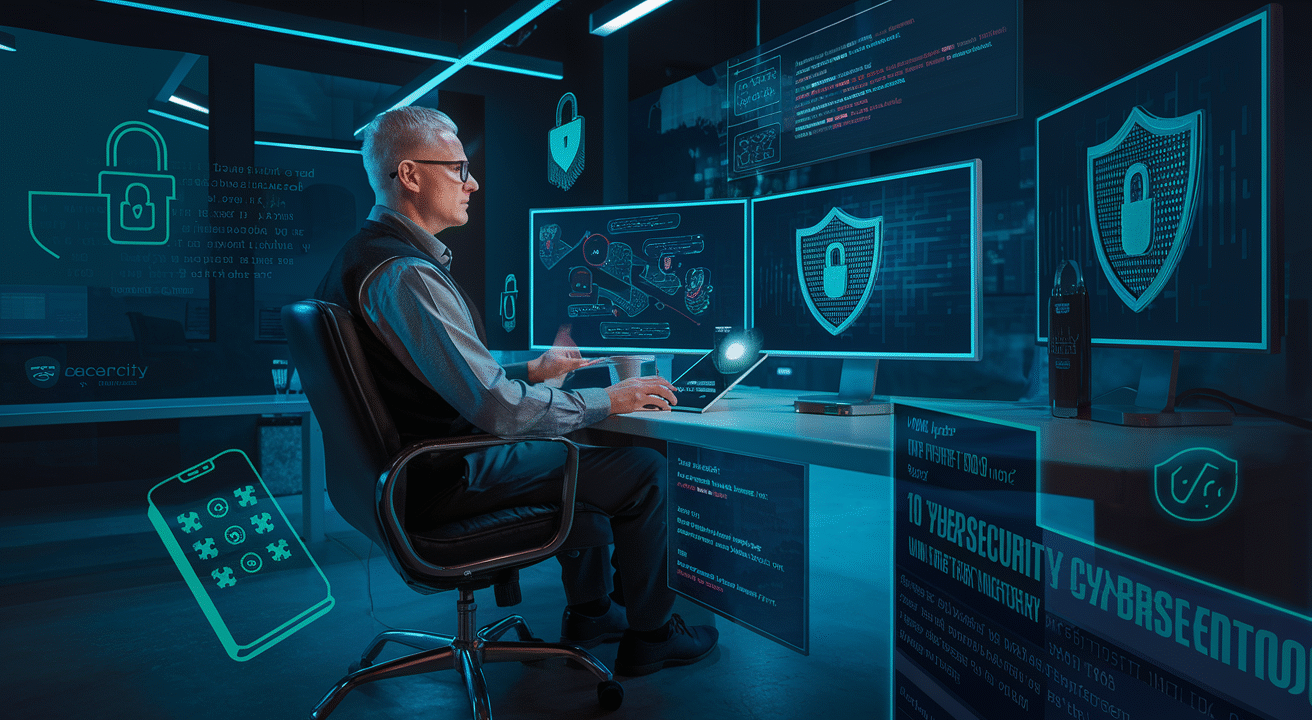
Ever found yourself staring at that suspicious email, feeling that pit in your stomach, wondering if clicking that link might unleash digital chaos? You’re not alone. A shocking 80% of small businesses that face a major cyber attack are out of business within six months.
Let me save you from becoming another statistic with practical cybercrime prevention strategies that actually work for regular humans without IT degrees.
The cybersecurity landscape has evolved dramatically, making understanding cybercrime essential for anyone who touches a keyboard or smartphone (which is, well, all of us).
By the time you finish this article, you’ll have 10 actionable tactics that don’t require a complete lifestyle overhaul or computer science PhD. But first, let’s talk about the one protection method that security experts swear by but almost nobody uses correctly…
Strengthen Your Digital Fortress with Strong Password Practices
Create Complex, Unique Passwords for Every Account
The days of using “password123” are long gone. Hackers can crack simple passwords in seconds with today’s technology. Your first line of defense? Complex passwords that would make even the most determined cybercriminal sweat.
A strong password should be at least 12 characters with a mix of uppercase letters, lowercase letters, numbers, and special characters. But here’s the kicker – you need a different one for every single account.
Why? Because when one site gets breached (and they do, constantly), hackers immediately try those same credentials on other sites. One password compromise shouldn’t mean game over for all your accounts.
Try creating passphrases instead of passwords. Think of a sentence that’s memorable to you, then transform it. For example: “My dog Rover ate 2 socks in 2023!” becomes “MdRa2si2023!”
Implement Two-Factor Authentication Everywhere Possible
Passwords alone don’t cut it anymore. Two-factor authentication (2FA) adds an extra security layer that can stop hackers dead in their tracks.
2FA works by requiring something you know (your password) and something you have (like your phone). Even if someone steals your password, they can’t get in without that second factor.
Enable 2FA on every account that offers it – especially email, banking, and social media. Yes, it takes an extra 10 seconds to log in. But those 10 seconds could save you from identity theft, financial loss, and countless hours of cleanup.
Most services offer 2FA through text messages, but authenticator apps like Google Authenticator or Authy are actually more secure since they can’t be intercepted like texts.
Consider Using a Password Manager
Let’s get real – nobody can remember 50+ unique, complex passwords. That’s where password managers come in, and they’re game-changers.
Password managers like LastPass, 1Password, or Bitwarden generate random, ultra-secure passwords for every site, then store them in an encrypted vault. You only need to remember one master password to unlock everything.
The best part? They automatically fill login forms, sync across all your devices, and some even alert you when your passwords appear in data breaches.
Most password managers offer free basic plans, with premium features like secure document storage and family sharing for a few dollars monthly. It’s possibly the best security investment you’ll ever make.
Change Passwords Regularly, Especially After Breaches
Your passwords aren’t fine wine – they don’t get better with age. Regular password changes minimize your risk window if a breach happens without your knowledge.
Set calendar reminders to update passwords for critical accounts every 3-6 months. Financial accounts might warrant more frequent changes.
But timing matters too. The second you hear about a data breach at a service you use, change that password immediately. Then check any other sites where you might have used similar credentials.
Tools like Have I Been Pwned can tell you if your email has appeared in known data breaches. Some password managers now include this monitoring automatically.
Remember, changing a password takes minutes. Recovering from identity theft can take years.
Keep Your Digital Devices Updated and Protected
Enable Automatic Software Updates
When’s the last time you clicked “Remind me tomorrow” on that update notification? We’ve all done it. But here’s the truth: those updates aren’t just about cool new features. They’re your first line of defense against cybercriminals.
Hackers love outdated software because it’s full of known security holes they can exploit. By turning on automatic updates, you’re patching those holes before criminals can slip through them.
Quick steps to enable auto-updates:
- Windows: Settings > Update & Security > Windows Update
- macOS: System Preferences > Software Update
- Mobile devices: Settings > System > Software update
Remember to set updates to install during your downtime—maybe overnight when you’re not using your devices.
Install Reliable Antivirus and Anti-malware Solutions
Your devices need bodyguards, and that’s exactly what good security software provides. Think of antivirus programs as bouncers that stop shady characters (malicious code) from getting into your digital club.
Not all security solutions are created equal, though. Free options might seem tempting, but premium solutions offer more comprehensive protection.
Top security solutions in 2025:
- Norton 360
- Bitdefender Total Security
- Malwarebytes Premium
- Kaspersky Total Security
- McAfee Total Protection
Don’t just install and forget. Make sure real-time protection is turned on and schedule weekly full-system scans.
Use Firewalls and Network Protection Tools
Your network is like your home—you wouldn’t leave your front door wide open, right? Firewalls act as your digital doorman, monitoring what goes in and out of your network.
Both hardware and software firewalls play crucial roles:
- Hardware firewalls (usually built into routers) protect your entire home network
- Software firewalls (on individual devices) provide an extra layer of protection
Beyond basic firewalls, consider these network protection tools:
- Virtual Private Networks (VPNs) to encrypt your internet connection
- DNS filters to block malicious websites
- Network monitoring tools to spot unusual activity
For your home router, change the default password and enable WPA3 encryption if available.
Regularly Scan Your Devices for Vulnerabilities
Cybersecurity isn’t a “set it and forget it” deal. Regular security scans are like health check-ups for your digital life—they catch problems before they become disasters.
Monthly security checklist:
- Run a full system antivirus scan
- Check for outdated software your auto-updates might have missed
- Use vulnerability scanners like Microsoft Baseline Security Analyzer
- Review app permissions on mobile devices
- Check your browser extensions and remove any you don’t use
These scans might seem tedious, but they’re way less painful than dealing with a data breach or identity theft.
Keep Backup Copies of Essential Data
Even with perfect security, things can go wrong. Ransomware attacks have gotten scary sophisticated in 2025, and they specifically target your valuable data.
The 3-2-1 backup strategy remains the gold standard:
- 3 copies of your data
- 2 different storage types
- 1 copy stored off-site
Cloud backup services like Backblaze, IDrive, and Carbonite make this easier than ever. For super sensitive data, consider encrypted external hard drives stored safely.
Set automatic backups on a schedule—daily for critical work files, weekly for personal stuff. And occasionally, test your backups by actually restoring some files. Nothing’s worse than finding out your backup system wasn’t working when you need it most.
Recognize and Avoid Phishing Attempts
Verify Email Sender Information Before Clicking Links
Phishing scams are getting more sophisticated by the day. Cybercriminals are masters at creating emails that look legitimate but are actually traps. The first defense? Always check who’s really sending you that email.
Look at the sender’s email address—not just the display name. Scammers often use email addresses that seem legitimate at first glance but contain subtle differences. For example, instead of “amazon.com,” you might see “amazon-secure.com” or “amaz0n.com.”
Many email clients hide the full email address by default. Take the extra second to click or hover over the sender’s name to reveal the actual address. This simple habit can save you from a world of trouble.
Red flags to watch for:
- Public email domains (gmail.com, yahoo.com) for business communications
- Misspelled company names in domains
- Random numbers and letters in the domain
- Domains that end with unusual extensions
Hover Over Links to Check Destination URLs
That blue, underlined text might not take you where you think. Hovering your mouse over a link (without clicking!) reveals the actual destination URL in most browsers and email clients.
The trick is simple but incredibly effective. If an email claims to be from your bank but the link points to “random-website.xyz,” you know something’s fishy.
Train yourself to look for these discrepancies:
- URLs that don’t match the claimed sender
- Shortened links (bit.ly, tinyurl) in official communications
- Strange subdomains (yourbank.suspicious-site.com)
- Misspelled domain names (paypa1.com instead of paypal.com)
Be Wary of Urgent Requests for Personal Information
Cybercriminals love to create a false sense of urgency. “Your account will be locked!” “Immediate action required!” They’re banking on you panicking and acting before thinking.
No legitimate organization will demand sensitive information through email. Your bank already knows your account number. The IRS won’t email you about tax issues. Tech support won’t suddenly email about “suspicious activity.”
The pressure tactics are obvious once you know what to look for:
- Threatening language about account suspension
- Unreasonably short timeframes for action
- Warnings about security breaches that require “verification”
- Claims of suspicious activity that only you can resolve
When in doubt, ignore the links in the email. Instead, open your browser and manually type the company’s website address.
Look for Grammar and Spelling Errors in Suspicious Messages
Poor writing quality is a dead giveaway of phishing attempts. While sophisticated scammers are getting better, many still make basic language mistakes.
Watch for awkward phrasing, strange word choices, or inconsistent capitalization. Professional companies have editors and spell-check. Scammers often don’t bother or may be writing in a language that isn’t their first.
These errors aren’t just annoying—they’re valuable warning signs:
- Unusual salutations (“Dear valued customer” instead of your name)
- Inconsistent formatting throughout the message
- Awkward phrases that sound translated
- Basic spelling errors in company names or common words
Trust your gut. If something feels off about the writing, it probably is.
Secure Your Home Network Against Intruders
A. Change Default Router Settings and Passwords
Your home router is like the front door to your digital life. The scary truth? Most people never change the factory settings. Hackers know this, and they’ve memorized default usernames and passwords for popular router brands.
Take five minutes today to log into your router (usually by typing 192.168.1.1 or 192.168.0.1 in your browser). Create a strong, unique password—something you haven’t used anywhere else. While you’re in there, update the router’s firmware too. Manufacturers regularly patch security holes, but these fixes only work if you install them.
And please, change that network name! Your default “Linksys123” or “Netgear456” broadcasts your router model to anyone within range. That’s like telling a burglar what kind of lock you have on your door.
B. Enable WPA3 Encryption for Wireless Networks
Your WiFi needs proper encryption, or neighbors and nearby strangers can potentially see everything you do online. WPA3 is the latest standard, offering dramatically improved security over older protocols.
Check if your router supports WPA3 in its settings page. If it does, switch to it immediately. Still stuck with WPA2? That’s better than nothing, but consider upgrading your equipment soon.
Older encryption methods like WEP or WPA are basically useless against modern hacking tools. If your router only offers these options, it’s time for a new router—no exceptions.
C. Create Separate Networks for Smart Home Devices
Smart devices are notoriously insecure. Your fancy refrigerator or doorbell camera might have weak security, creating a backdoor into your network.
The solution? Network segregation. Most modern routers let you create a “guest network” separate from your main WiFi. Put all your smart home gadgets on this separate network. This way, if your smart toaster gets hacked, the attacker can’t jump to your laptop where you do online banking.
Some advanced routers even let you create multiple separate networks with different security rules. This isn’t just for tech geeks—it’s becoming essential as homes fill with internet-connected devices.
D. Regularly Check Connected Devices for Unauthorized Access
Unknown devices on your network are a massive red flag. Most routers have a “connected devices” section in their admin panel where you can see everything that’s connected.
Take a screenshot of this list when your network is running normally. Then check it weekly for anything suspicious. See a device called “Android-5789” that you don’t recognize? That’s worth investigating immediately.
Some routers offer notifications when new devices connect. Turn these alerts on if available. You can also use apps like Fing that scan your network and identify connected devices with more detail than your router provides.
Remember that unauthorized network access isn’t just about stealing data—hackers can use your internet connection for illegal activities that could be traced back to your IP address.
Practice Safe Online Shopping and Banking
Use Credit Cards Instead of Debit Cards for Online Purchases
Online shopping has become second nature to most of us, but many folks don’t realize they’re putting themselves at serious risk by using debit cards. Here’s the deal – when cybercriminals get their hands on your debit card info, they’re directly tapping into your actual bank account.
Credit cards offer much stronger fraud protection. Most credit card companies limit your liability to $50 for unauthorized purchases, and many offer zero liability policies. With debit cards? You could be on the hook for everything if you don’t report it quickly enough.
Plus, when someone steals from your debit card, that money is GONE from your checking account while you fight to get it back. With credit cards, you can dispute charges without losing access to your real money.
Verify Website Security Certificates Before Entering Payment Information
Before you hand over your payment details to any website, take five seconds to check if the site is secure. Look for that little padlock icon in your browser’s address bar and make sure the URL starts with “https://” (not just “http://”).
This isn’t just tech jargon – it’s your first line of defense. That “s” stands for “secure,” meaning the site encrypts your data so hackers can’t intercept it.
Don’t trust a site just because it looks professional. Scammers are getting really good at creating convincing fake websites. Click on the padlock icon to verify the security certificate belongs to the company you think you’re dealing with.
Monitor Accounts Regularly for Suspicious Transactions
Gone are the days when checking your bank statement once a month was enough. In 2025, you need to be on top of your accounts weekly, if not daily.
Most banks and credit card companies now offer instant notifications for every transaction. Turn these on! The faster you spot a suspicious charge, the better your chances of stopping further fraud.
Set up a routine – maybe every morning with your coffee – to quickly scan recent transactions. Look for even small, strange charges. Hackers often test accounts with tiny purchases before going for bigger amounts.
And don’t just monitor your main accounts. Those recurring subscriptions and rarely-used accounts? They’re prime targets because you’re less likely to notice something fishy.
Consider Using Virtual Credit Cards for Online Purchases
Virtual credit cards are a game-changer for online shopping security. They’re temporary card numbers linked to your real credit card account but with customizable spending limits and expiration dates.
The beauty is that even if these numbers get stolen in a data breach, thieves can’t use them for additional purchases once they expire or hit the limit you set. And your actual card details remain completely hidden.
Many major credit card issuers now offer this feature for free. You can create a unique virtual card for each merchant or set up one-time use cards for single purchases. This way, if an online store gets hacked, your exposure is minimal.
For subscription services, you can set a virtual card with a limit matching exactly what the service should charge. If they try to sneak in a price increase or the service gets compromised, the charges simply won’t go through.
Educate Yourself and Family Members About Cybersecurity
Stay Informed About Latest Cyber Threats and Scams
The cybercrime landscape changes faster than most people realize. Yesterday’s security measures might be useless against today’s threats. This isn’t about being paranoid – it’s about being prepared.
Make it a habit to follow cybersecurity news from reliable sources. Websites like Krebs on Security, The Hacker News, and the US-CERT portal provide up-to-date information on emerging threats. Even just 15 minutes a week keeping up with the latest scams can save you countless hours of recovery time later.
Want a simple approach? Set up Google Alerts for terms like “new phishing scam” or “data breach” to get notifications when something significant happens.
Teach Children About Online Safety and Privacy
Kids today navigate the digital world with impressive ease, but technical skill doesn’t equal safety awareness. Most children don’t fully grasp the permanence of what they share online.
Start conversations early about what information should stay private. Names, addresses, school details, and daily routines should never be shared publicly. Show them real examples of privacy settings on the platforms they use.
Role-playing works wonders here. Walk through scenarios like “What would you do if someone online asks for your address?” or “How would you respond if a stranger sends you a friend request?”
Establish Family Guidelines for Internet Use
Clear boundaries make all the difference when it comes to online safety. Create a set of household rules that everyone understands and follows.
Consider these practical guidelines:
- Keep devices in common areas of the home
- Set screen-free times and zones (especially during meals and before bed)
- Review app permissions together before downloading anything new
- Create a family agreement about what’s appropriate to share online
- Establish regular check-ins about online experiences
The goal isn’t control – it’s creating a culture where online safety becomes second nature.
Protect Your Identity and Personal Information
A. Limit What You Share on Social Media
Cybercriminals love social media – it’s their gold mine for personal data. Think twice before posting your birthday, home address, phone number, or vacation plans. That innocent “10 years ago vs. now” challenge? Perfect tool for hackers to train facial recognition systems.
Next time you’re about to share that airport selfie captioned “Off to Hawaii for two weeks!”, remember you’re basically announcing “My house is empty – come rob me!” Wait until you’re back home to post those vacation pics.
And those fun quizzes asking about your first pet’s name or the street you grew up on? Those are literally harvesting your security question answers. Not so innocent anymore, right?
B. Use Privacy Settings on All Platforms
Most people never touch default privacy settings, which typically favor maximum data sharing. Take 10 minutes to review and lock down your accounts:
- On Facebook: Limit past posts, restrict friend requests, and control who sees future content
- On Instagram: Consider a private account or at least review your Close Friends list
- On LinkedIn: Adjust what’s visible to non-connections
- On Twitter/X: Review who can tag you and which apps access your account
Don’t forget about location services! Your phone is tracking everywhere you go unless you tell it to stop.
C. Be Cautious With Public Wi-Fi Networks
That free coffee shop Wi-Fi? It might cost you way more than a latte. Public networks are notorious hunting grounds for cybercriminals. Anyone can set up a deceptive hotspot called “Starbucks_Free_WiFi” and intercept everything you send.
If you must use public Wi-Fi:
- Never access banking sites or sensitive accounts
- Use a VPN (Virtual Private Network) to encrypt your traffic
- Verify the network name with staff
- Turn off file sharing and AirDrop
- Enable two-factor authentication on important accounts
D. Consider Identity Theft Protection Services
Identity theft can wreck your credit score and take years to fully resolve. Protection services can’t prevent everything, but they offer valuable early warning systems.
Good services typically include:
- Credit monitoring across all three bureaus
- Dark web scanning for your personal information
- Alerts for suspicious activity
- Recovery assistance if your identity is stolen
- Insurance coverage for theft-related expenses
While these services cost money (typically $10-$30 monthly), they’re far cheaper than dealing with the aftermath of identity theft, which can run into thousands of dollars and countless hours of your time.
Respond Quickly When Cybercrime Occurs
Know When and How to Report Cybercrime Incidents
The minutes after discovering a cybercrime can make or break your recovery. Knowing exactly who to contact is crucial. For individuals, report incidents to your local police department and file a complaint with the FBI’s Internet Crime Complaint Center (IC3). For businesses, contact your IT security team immediately, then reach out to law enforcement.
Don’t waste time wondering if the incident is “serious enough” to report. Even small breaches can be part of larger patterns that authorities track. The sooner you report, the better chance investigators have of catching the perpetrators.
Keep these reporting channels handy:
- Local police: Always your first call
- IC3.gov: For all internet crimes
- FTC.gov/complaint: For identity theft
- ReportFraud.ftc.gov: For scams and fraud
Contact Financial Institutions Immediately After Breaches
When your financial information gets compromised, every second counts. Call your bank, credit card companies, and payment platforms right away—even outside business hours.
Most financial institutions have 24/7 fraud departments ready to lock down accounts at the first sign of trouble. Don’t just email them. Pick up the phone and speak directly with a fraud specialist.
Many people hesitate, thinking they need to gather all the details first. Don’t. Banks would rather hear about a potential issue immediately than wait until thousands have been stolen.
Document Everything During and After an Attack
During a cyber attack, documentation becomes your best friend. Take screenshots of unusual messages, error notifications, or suspicious activities. Note the exact times when you noticed problems.
Create a simple timeline that includes:
- When you first noticed the issue
- What you were doing when it happened
- Any error messages (word for word)
- Steps you’ve taken since discovering the problem
This documentation isn’t just for your records—it’s vital evidence for law enforcement, your insurance company, and IT professionals who’ll help clean up the mess.
Freeze Credit Reports if Personal Information is Compromised
When hackers get their hands on your personal info, freezing your credit reports is your strongest defense against identity theft. A credit freeze prevents anyone—including you—from opening new accounts in your name.
You’ll need to contact all three major credit bureaus separately:
- Equifax
- Experian
- TransUnion
Unlike fraud alerts, which expire after a year, credit freezes remain until you lift them. Yes, it’s inconvenient when you legitimately need new credit, but the protection is worth it.
The best part? Credit freezes are free and don’t affect your credit score. They only block new accounts, not existing ones, so your current cards will work normally.
Leverage Advanced Security Technologies
Consider Using a VPN for Enhanced Privacy
Cybercriminals love nothing more than unprotected internet connections. They’re like sharks smelling blood in the water. A Virtual Private Network (VPN) creates an encrypted tunnel for your data, making it nearly impossible for hackers to intercept your information.
Think about all the times you’ve connected to public WiFi at coffee shops, airports, or hotels. Each time, you’re basically inviting strangers to peek at your data. A good VPN masks your IP address and encrypts everything you send and receive online.
Most quality VPNs cost less than your monthly coffee budget—around $3-10 per month. That’s dirt cheap for what you get: anonymous browsing, access to geo-restricted content, and protection from nosy ISPs who might sell your browsing data.
Implement Biometric Authentication When Available
Passwords are so 2010. They get stolen, forgotten, or cracked way too easily. Biometric authentication—using your fingerprint, face, or voice to unlock devices—is a game-changer in the fight against cybercrime.
The beauty of biometrics? You can’t forget your fingerprint at home. And it’s incredibly difficult for criminals to replicate your unique biological markers.
Many smartphones, laptops, and banking apps now offer this feature standard. Enable it wherever possible. The extra second it takes to scan your finger is nothing compared to the headache of dealing with a compromised account.
Explore Encrypted Communication Tools
Regular text messages are about as private as shouting across a crowded room. Encrypted messaging apps like Signal, Telegram, and WhatsApp use end-to-end encryption, meaning only you and your recipient can read what’s sent.
This isn’t just for spies or privacy nuts. Anyone who shares sensitive information—from passwords to personal photos—benefits from encrypted communication.
These apps typically offer additional security features like disappearing messages and screen capture alerts. They’re free, easy to use, and dramatically reduce your risk of message interception.
Use Secure Cloud Storage Solutions
Cloud storage has revolutionized how we back up and share files, but not all services offer equal protection. Look for providers that offer zero-knowledge encryption—meaning the service itself can’t access your files, even if they wanted to.
Services like Tresorit, pCloud, and Sync.com offer military-grade encryption while maintaining user-friendly interfaces. Many provide free tiers with reasonable storage limits.
Don’t just upload sensitive documents to any cloud service. Take time to research their security protocols. The best solutions offer two-factor authentication, end-to-end encryption, and clear privacy policies that don’t treat your data as a product to be sold.
Stay Vigilant With Ongoing Security Practices
Conduct Regular Security Audits of Your Digital Presence
Cybercriminals don’t take days off, so why should your security measures? Think of security audits as spring cleaning for your digital life – except you need to do it quarterly, not yearly.
Start by listing all your online accounts. Seriously, all of them. That random forum you signed up for in 2018? Yep, that too. Now check which ones are still active, which ones use the same password (red flag!), and which ones have two-factor authentication enabled.
Check your privacy settings on social media. Are you accidentally broadcasting your home address to strangers? Many people are shocked to discover they’ve been oversharing for years.
Pro tip: Set calendar reminders for these audits. Most people promise themselves they’ll do it regularly, then completely forget until after they’ve been hacked.
Review App Permissions on Mobile Devices
Your weather app needs access to your photos and contacts? Yeah, that’s a hard no.
Most of us blindly hit “Allow” whenever an app asks for permissions. Time to undo that damage. On both Android and iOS, you can review and revoke permissions in your settings.
Here’s what to look for:
- Location permissions (does that game really need to know where you are?)
- Microphone access (why does a calculator need to hear you?)
- Contact access (a flashlight app doesn’t need your address book)
The rule is simple: if an app doesn’t obviously need a permission to function, don’t grant it.
Uninstall Unused Applications and Services
That fitness app you downloaded during your “new year, new me” phase three years ago? It’s still there, potentially leaking your data.
Unused apps are security liabilities. They:
- Don’t receive regular updates
- Maintain access to your personal data
- Can contain vulnerabilities that cybercriminals love to exploit
The same goes for online services and subscriptions. Cancel accounts you no longer use. Each active account is another potential entry point for hackers.
Remember those “sign in with Google/Facebook” buttons? They’re convenient, but they create a connected web of services. If one gets compromised, they all might.
Practice Healthy Skepticism With Unsolicited Communications
That unexpected email from your “bank” needs your immediate attention? The random text about a package delivery problem? The LinkedIn message from someone you’ve never met with an “amazing opportunity”?
All red flags.
Cybercriminals count on your curiosity or fear to override your common sense. Don’t fall for it.
Before clicking any link or downloading any attachment:
- Check the sender’s actual email address (not just the display name)
- Look for spelling/grammar mistakes
- Ask yourself: “Was I expecting this communication?”
- When in doubt, contact the supposed sender through official channels
Remember, even tech-savvy people fall for well-crafted scams. The difference is they pause before acting.
Navigating the digital landscape safely requires proactive measures and constant vigilance. By implementing these ten cybersecurity strategies—from establishing strong password practices and keeping devices updated to recognizing phishing attempts and securing your home network—you can significantly reduce your vulnerability to cybercrime. Remember that protecting your personal information, educating your family about online safety, and knowing how to respond when incidents occur are equally important defensive measures.
The fight against cybercrime is ongoing and evolving. As criminals develop new tactics, your security approach must adapt accordingly. Take advantage of advanced security technologies like multi-factor authentication and encryption, while maintaining regular security habits such as backing up your data and monitoring your accounts. By making cybersecurity a priority in your daily digital interactions, you not only protect yourself but contribute to a safer online environment for everyone.

Recent Post


Gallery









No Comments